
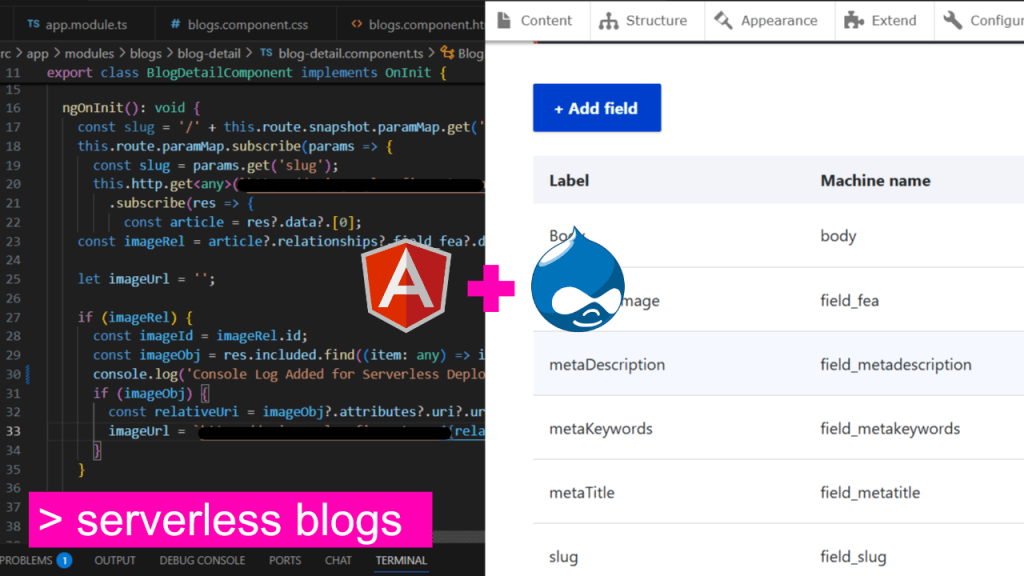
Creating a fully functional blog section powered by a Drupal backend and displayed through an Angular frontend is not only possible but also scalable, SEO-friendly, and maintainable. In this blog post, I will walk you through how I successfully implemented such a setup using JSON:API from Drupal and dynamic routing in Angular.
Overview
- Backend: Drupal CMS with JSON:API module
- Frontend: Angular 18 (with SSR setup)
- Goal: Fetch blog data from Drupal, display list of blogs, and route to full detail view by slug
Step 1: Set Up Drupal with JSON:API
- Enable the JSON:API and JSON:API Extras modules.
- Ensure each article has:
titlebodyfield_slug- Optional meta fields like
field_metaKeywords,field_metaDescription, etc. - A featured image (e.g.,
field_fea)
- Configure permissions to allow anonymous access to content via JSON:API.
- Test API response:
https://yourdomain.com/jsonapi/node/article
https://yourdomain.com/jsonapi/node/article?filter%5Bfield_slug%5D%5Bvalue%5D=your-article-slug
Step 2: Create Angular Blog Module
Structure:
src/
  app/
    modules/
      blogs/
        blog-list/
        blog-detail/
        blogs-routing.module.ts
        blogs.module.ts
- blog-list.component.ts:
- Fetch list of blogs using a service.
- Display title, excerpt, and date.
this.http.get<Article[]>('/jsonapi/node/article')
  .subscribe(res => this.articles = res.data);
- HTML Template:
<div *ngFor="let blog of articles">
  <mat-card>
    <img [src]="blog.imageUrl">
    <h2>{{ blog.title }}</h2>
    <p class="summary">{{ blog.body | slice:0:200 | stripHtml }}...</p>
    <a [routerLink]="['/blogs', blog.slug]">Read More</a>
  </mat-card>
</div>
- Blog Service:
- Create reusable service to fetch list and individual blogs.
Step 3: Blog Detail by Slug
- Define Route:
{ path: 'blogs/:slug', component: BlogDetailComponent }
- blog-detail.component.ts:
ngOnInit() {
  this.route.paramMap.subscribe(params => {
    const slug = params.get('slug');
    this.http.get(`/jsonapi/node/article?filter[field_slug][value]=${slug}`)
      .subscribe(res => this.blog = res.data[0]);
  });
}
- Meta Tags with Angular Helmet:
this.titleService.setTitle(blog.metaTitle);
this.meta.updateTag({ name: 'description', content: blog.metaDescription });
Bonus: Show HTML Properly
Use Angular’s built-in sanitizer to bind safe HTML:
<div [innerHTML]="blog.body.processed"></div>
Summary
With this approach, I:
- Reused the powerful content management features of Drupal.
- Built a scalable Angular frontend with clean routing.
- Leveraged SEO by using meta tags from Drupal.
- Made the blog section look clean and user-friendly with cards and truncated excerpts.
This setup can now serve as a foundation for further expansion, such as search, categorization, and tagging.
 Ayush Raj
Leave a comment