
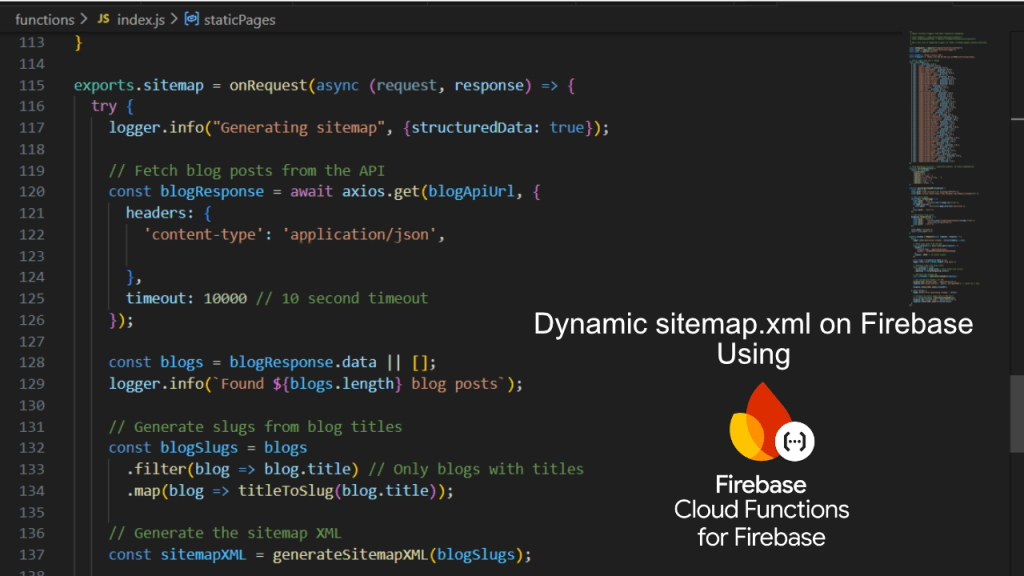
A sitemap is one of those things that looks simple until you ship a static build.
If your site is deployed as static files (for example, a static-exported Next.js app), you get great performance and cheap hosting—but you lose the ability to generate server-side content at request time. That becomes a problem the moment your sitemap depends on data that changes frequently, like:
- product URLs coming from a catalog API
- landing pages coming from a CMS API
- articles, guides, help pages, or “collections” coming from any REST source
- anything created/updated outside your frontend build pipeline
This article explains a general-purpose, REST API–based approach to generate a dynamic sitemap.xml while keeping the rest of the site static on Firebase Hosting, using Firebase Cloud Functions as the runtime component.
Why static hosting breaks dynamic sitemaps
When you deploy static assets, there’s no server rendering on request. So if your sitemap should include fresh URLs from APIs, you have two options:
- Rebuild & redeploy constantly (cron build, CI, etc.)
- Generate sitemap dynamically via a serverless endpoint
Option #2 is often cleaner if URLs change frequently, your data comes from multiple APIs, or you want to avoid “deploy just to refresh sitemap”.
The architecture (high level)
Request flow in production:
- A crawler (or browser) requests:
https://your-domain.com/sitemap.xml - Firebase Hosting rewrites that request to a Cloud Function.
- The Cloud Function:
- calls one or more REST endpoints
- transforms the response into sitemap URLs
- returns valid XML with
Content-Type: application/xml
Everything else stays static: your app, images, CSS, JS, pre-rendered pages.
What you’ll build
- A Cloud Function called
sitemapthat returns XML - A Firebase Hosting rewrite rule so
/sitemap.xmlis served by that function
Step 1: Add a Firebase Hosting rewrite for /sitemap.xml
In your firebase.json, configure Hosting to route requests to a function:
{
  "hosting": {
    "rewrites": [
      { "source": "/sitemap.xml", "function": "sitemap" }
    ]
  }
}
That’s the key move: Firebase Hosting remains static, but /sitemap.xml is now “dynamic”.
Step 2: Implement a general-purpose sitemap Cloud Function
The function’s job is straightforward:
- Define static routes you always want indexed
- Fetch dynamic routes from REST APIs
- Convert them into
<url>entries - Return valid XML + appropriate headers
Here’s a generic example (Node.js):
const { onRequest } = require("firebase-functions/v2/https");
const axios = require("axios");

// Change these to match your domain and REST endpoints
const SITE_URL = "https://example.com";

// Example REST APIs (replace with your own)
const API_ENDPOINTS = {
  products: "https://api.example.com/products",
  categories: "https://api.example.com/categories",
  pages: "https://api.example.com/pages"
};

// A conservative slugify helper you can reuse.
// If your API already returns slugs, prefer those instead.
function slugify(text) {
  return String(text)
    .toLowerCase()
    .replace(/&/g, " and ")
    .replace(/['\"`]/g, "")
    .replace(/[^a-z0-9\s-]/g, " ")
    .replace(/\s+/g, "-")
    .replace(/-+/g, "-")
    .replace(/^-|-$/g, "");
}

function toIsoDate(dateLike) {
  const d = dateLike ? new Date(dateLike) : null;
  return d && !Number.isNaN(d.valueOf()) ? d.toISOString() : null;
}

function renderSitemapXml(entries) {
  const lines = [];
  lines.push(`<?xml version="1.0" encoding="UTF-8"?>`);
  lines.push(`<urlset xmlns="http://www.sitemaps.org/schemas/sitemap/0.9">`);

  for (const e of entries) {
    lines.push(`  <url>`);
    lines.push(`    <loc>${e.loc}</loc>`);
    if (e.lastmod) lines.push(`    <lastmod>${e.lastmod}</lastmod>`);
    if (typeof e.priority === "number") lines.push(`    <priority>${e.priority.toFixed(1)}</priority>`);
    lines.push(`  </url>`);
  }

  lines.push(`</urlset>`);
  return lines.join("\n");
}

exports.sitemap = onRequest(async (req, res) => {
  // Only allow GET
  if (req.method !== "GET") {
    res.status(405).json({ message: "Method not allowed" });
    return;
  }

  // Optional: simple cache header (CDNs and crawlers will reuse)
  res.set("Content-Type", "application/xml");
  res.set("Cache-Control", "public, max-age=3600"); // 1 hour

  try {
    // 1) Static URLs (always present)
    const staticEntries = [
      { loc: `${SITE_URL}/`, priority: 1.0 },
      { loc: `${SITE_URL}/about/`, priority: 0.6 },
      { loc: `${SITE_URL}/contact/`, priority: 0.6 }
    ];

    // 2) Fetch dynamic sources from REST APIs
    // Run requests in parallel for speed
    const [productsResp, categoriesResp, pagesResp] = await Promise.all([
      axios.get(API_ENDPOINTS.products, { timeout: 10000 }),
      axios.get(API_ENDPOINTS.categories, { timeout: 10000 }),
      axios.get(API_ENDPOINTS.pages, { timeout: 10000 })
    ]);

    const products = Array.isArray(productsResp.data) ? productsResp.data : [];
    const categories = Array.isArray(categoriesResp.data) ? categoriesResp.data : [];
    const pages = Array.isArray(pagesResp.data) ? pagesResp.data : [];

    // 3) Convert API items into sitemap entries
    // Prefer using `slug` from API if available; fallback to `slugify(title)`
    const productEntries = products
      .filter(p => p && (p.slug || p.name || p.title))
      .map(p => ({
        loc: `${SITE_URL}/product/${encodeURIComponent(p.slug || slugify(p.name || p.title))}/`,
        lastmod: toIsoDate(p.updatedAt || p.updated_on || p.updatedOn || p.createdAt),
        priority: 0.8
      }));

    const categoryEntries = categories
      .filter(c => c && (c.slug || c.name))
      .map(c => ({
        loc: `${SITE_URL}/category/${encodeURIComponent(c.slug || slugify(c.name))}/`,
        lastmod: toIsoDate(c.updatedAt || c.updated_on || c.updatedOn || c.createdAt),
        priority: 0.7
      }));

    const pageEntries = pages
      .filter(pg => pg && (pg.path || pg.slug || pg.title))
      .map(pg => {
        // If your API returns a full path like "/help/shipping", use it directly.
        const path = pg.path
          ? String(pg.path).startsWith("/") ? pg.path : `/${pg.path}`
          : `/page/${encodeURIComponent(pg.slug || slugify(pg.title))}/`;

        return {
          loc: `${SITE_URL}${path.endsWith("/") ? path : `${path}/`}`,
          lastmod: toIsoDate(pg.updatedAt || pg.updated_on || pg.updatedOn || pg.createdAt),
          priority: 0.6
        };
      });

    const xml = renderSitemapXml([
      ...staticEntries,
      ...productEntries,
      ...categoryEntries,
      ...pageEntries
    ]);

    res.status(200).send(xml);
  } catch (err) {
    // Reliability principle: never fail hard for sitemap.xml
    // Even if APIs are down, return a minimal valid sitemap.
    const xml = renderSitemapXml([{ loc: `${SITE_URL}/`, priority: 1.0 }]);
    res.status(200).send(xml);
  }
});
This is intentionally generic. The only things you swap are:
- your domain (
SITE_URL) - your REST endpoints
- how you map API fields → paths
Step 3: Decide how you want to “source truth” for slugs
With REST APIs you generally have two sane approaches:
Option A: API returns canonical slugs (recommended)
Your backend provides stable slug fields. The sitemap just uses them.
Pros:
- no front-end slug rules to maintain
- URL changes are controlled centrally
Option B: Frontend slugifies titles
Use slugify(title) in the function.
Pros:
- easy to ship quickly if API has only titles
Cons: - if slug rules change, URLs change (and that can create SEO churn)
- punctuation and edge cases can create mismatches
If you must generate slugs on the fly, lock down the rules early and keep them consistent with your routing.
Step 4: Caching and reliability (what matters in practice)
A dynamic sitemap endpoint will get hit by crawlers and monitoring tools. Two best practices:
1) Cache the response
At minimum, use:
Cache-Control: public, max-age=3600
This reduces costs and avoids hitting your APIs too frequently.
2) Always return valid XML
Even if APIs fail, return a smaller sitemap (static URLs only). Search engines prefer a “partial sitemap” over an endpoint that errors.
Step 5: Local testing with Firebase emulators
Use the Hosting emulator so you test the real rewrite behavior:
http://127.0.0.1:5000/sitemap.xml
If it works through port 5000, your production routing is likely correct.
Common pitfalls (and how to avoid them)
1) “Why not just use Next.js API routes?”
If you export a site (static output), Next.js API routes don’t ship. Firebase Functions fill that gap cleanly.
2) Inconsistent URL behavior between SPA navigation and refresh
Client-side navigation can mask missing Hosting rewrites. Always test:
- open in a new tab
- refresh on a deep route
- direct paste into address bar
3) Slug mismatch between backend and frontend
If the sitemap generates /product/foo-bar/ but your app expects /product/foo-bar-baz/, crawlers will get 404s. Align routing and slug rules (prefer API-provided slugs).
4) Secrets in code
If your REST API needs auth, avoid hardcoding secrets. Use environment config / secret manager patterns.
When this pattern is ideal
This approach is a strong fit when:
- your frontend is static on Firebase Hosting
- your URL set changes frequently
- dynamic URLs are sourced from one or more REST APIs
- you want SEO-friendly, crawlable sitemap XML without rebuilding the whole app
Wrap-up
A dynamic sitemap doesn’t require moving your entire site to server rendering.
Instead:
- keep the site static for speed and simplicity
- add a single serverless function for
/sitemap.xml - fetch dynamic URLs from REST APIs
- return standard XML with caching
This gives you the best of both worlds: static hosting and dynamic SEO infrastructure.
 Ayush Raj
Leave a comment