
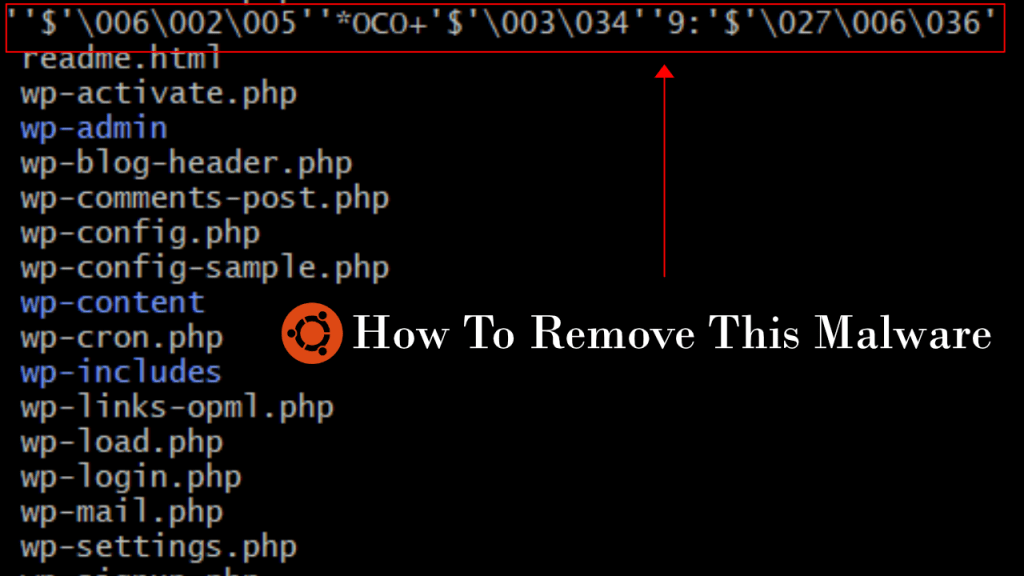
Normally when our wordpress sites used to get malwares and hacks I just went into the Cyberpanel file manager and deleted the malwares. Sometimes the malware files were pretty creative and their permissions got set to something that cannot be written to and in those cases I had to SSH into the server to delete the file via commands. First I had to change its permission and then delete it but before doing that all the cron jobs were to be stopped that were interacting with the file. Its a long process. I went through it with the help of ChatGPT. Anyway, this new kind of malware that I encountered recently couldn’t be deleted this way because its filename was bogus. This was how it looked like to me:
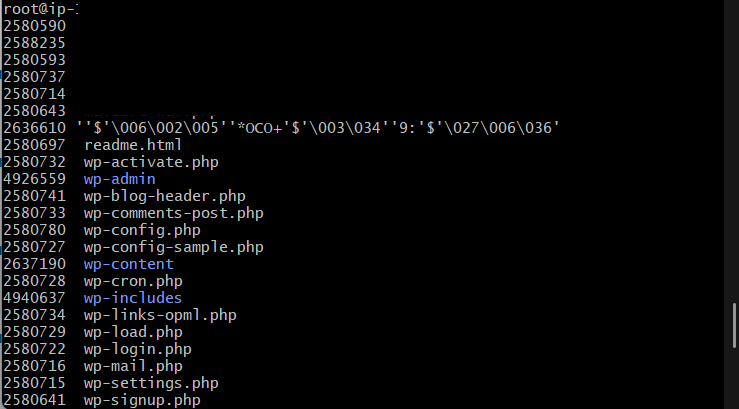
The steps to delete such a malware were actually kind of simple. These are the steps:
First we need to identify the inode value of the file by typing in the following command:
ls -i
This will give us a list of files with the inodes values listed before them. This is shown in the previous figure too. Anyway, we need to take a note of this inode value and then run this command:
find . -inum 12345678 -exec rm -i {} \;
The 12345678 is the inode value. Replace it with whatever inode value you want to delete. And there you go, the malware file with garbage name will be deleted. It is a pretty neat system if you ask me, y’know, storing files as inodes. Thank you for reading.
 Ayush Raj
Leave a comment