
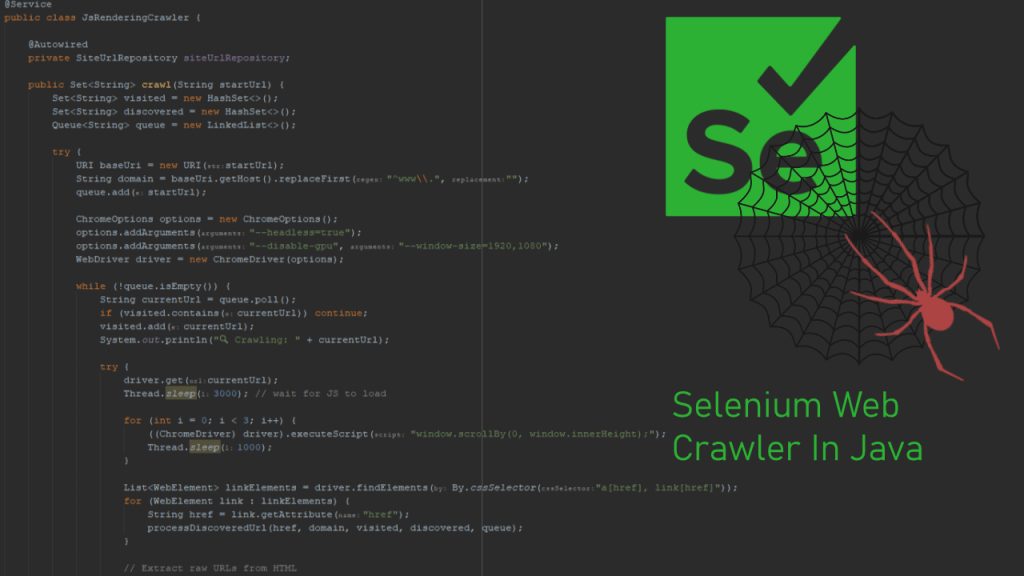
Developing a custom website crawler can be an exciting and educational journey for developers, especially when working in low-level environments like AWS EC2. Recently, I worked on building a website crawler using Java, Selenium, and JSoup to programmatically discover and analyze all internal URLs of a given domain.
This article outlines my development and deployment process, including the key challenges I faced and how I overcame them. If you’re trying to build something similar, I hope this step-by-step breakdown helps you avoid common pitfalls.
Problem Statement
I wanted to build a crawler that:
- Automatically discovers all internal links on a website
- Handles JavaScript-rendered content (not just static HTML)
- Saves unique internal URLs to a database
- Operates reliably in a headless Linux server environment (Ubuntu on AWS EC2)
Technology Stack
- Java 17
- Selenium WebDriver with ChromeDriver
- JSoup for fast and clean HTML parsing
- Chromium-browser for headless operation
- Spring Boot for integrating with backend services
- AWS EC2 Ubuntu as the deployment environment
Initial Crawler Design with JSoup
We started with a basic version of the crawler using only JSoup:
- JSoup connects to each URL
- Extracts all
<a href="">links - Normalizes the URLs
- Saves new internal URLs to a database
This was sufficient for many static pages, but not for SPAs or content rendered via JavaScript.
Document doc = Jsoup.connect(currentUrl)
    .userAgent("Mozilla/5.0")
    .timeout(10_000)
    .get();

Elements links = doc.select("a[href]");
Moving to Selenium for Dynamic Content
To deal with JavaScript-heavy websites, we integrated Selenium WebDriver with headless Chrome.
Challenge: Headless Chrome on AWS EC2
When deploying to an AWS Ubuntu instance, we hit this error:
Could not start a new session. Response code 500. Message: session not created: probably user data directory is already in use
This was resolved by:
- Specifying a unique
--user-data-dirusingUUID.randomUUID() - Ensuring
/usr/bin/chromedriverand/usr/bin/chromium-browserwere explicitly configured
options.setBinary("/usr/bin/chromium-browser");
options.addArguments("--user-data-dir=/tmp/chrome-profile-" + UUID.randomUUID());
System.setProperty("webdriver.chrome.driver", "/usr/bin/chromedriver");
This prevented Chrome from crashing due to shared profile conflicts in headless mode.
Full Crawl Logic
- Start with a given root URL
- Create a queue and set of visited URLs
- Load each page using Selenium
- Extract all anchor and raw URLs using Selenium + Regex
- Add new internal links to the queue
- Store all discovered URLs to database via JPA repository
List<WebElement> linkElements = driver.findElements(By.cssSelector("a[href], link[href]"));
String pageSource = driver.getPageSource();
Matcher matcher = Pattern.compile("https?://[^\\s\"'<>]+").matcher(pageSource);
Key Learnings
- User Data Directory Conflicts: In headless environments, Chrome often fails if the
--user-data-diris not unique per session. - Selenium + JSoup Combo: For dynamic + static content crawling, combining both tools provides full coverage.
- Explicit Binaries Matter: Don’t rely on system PATH. Explicitly set
chromedriverandchromium-browserbinaries. - Thread.sleep vs WebDriverWait: For JS-heavy sites, waiting a few seconds or using
WebDriverWaithelps ensure content is fully loaded before extracting URLs.
Final Thoughts
This crawler is now part of a broader data pipeline that analyzes page indexing status, page speed insights, and UX metrics using Google APIs.
By solving one issue at a time and debugging with logs and headless Chrome insights, I was able to get it working smoothly on my production EC2 instance.
If you’re building your own crawler, I hope this gives you both technical insights and confidence to tackle headless browser issues and dynamic content extraction.
 Ayush Raj
Leave a comment