
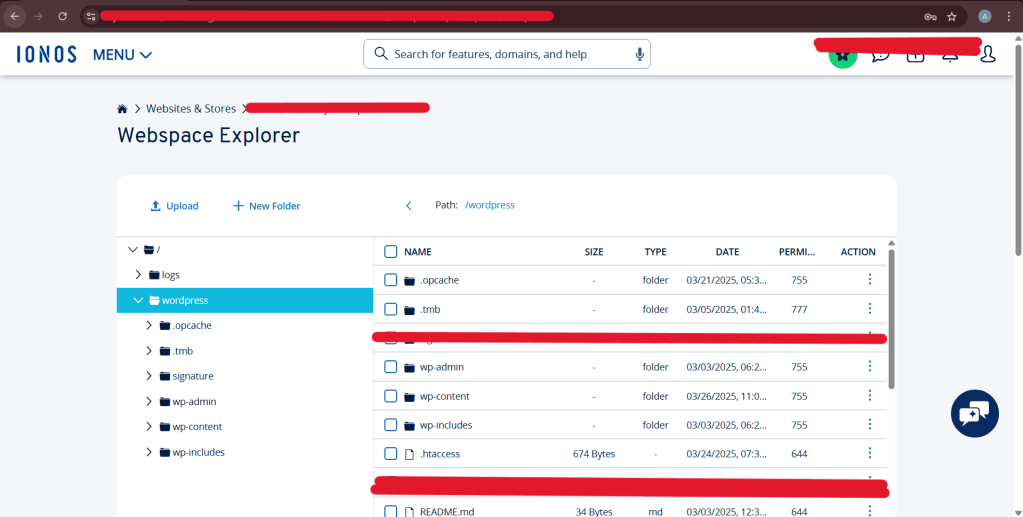
Redirecting a URL should be straightforward, correct? That’s what we thought, too. However, as we discovered, redirecting a specific .aspx path to an external URL in a WordPress site hosted on IONOS proved to be more of a trial by fire than anticipated. This article describes the frustrating—but ultimately successful—journey of making the redirect work.
The Goal
We wanted a basic redirect:
https://example.com/stub/example.aspx
to send visitors to:
https://www.foobar.com/stub/example.aspx
That’s it. A one-line change, right?
Well… no.
Attempt 1: The Obvious .htaccess Redirect
We started with the simplest approach:
Redirect 301 /stub/example.aspx https://www.foobar.com/stub/example.aspx
Placed neatly above the WordPress block in .htaccess.
Result: Didn’t work. The browser tried to download the .aspx file instead.
Attempt 2: mod_rewrite to the Rescue
We escalated to Apache’s rewrite rules:
RewriteEngine On
RewriteRule ^stub/example\.aspx$ https://www.foobar.com/stub/example.aspx [R=301,L]
Result: Still no dice. Same result — file download or 404.
Attempt 3: WordPress functions.php Magic
Next, we tried a WordPress-level solution. We added this to the active theme’s functions.php:
add_action('init', function() {
    if ($_SERVER['REQUEST_URI'] === '/stub/example.aspx') {
        wp_redirect('https://www.foobar.com/stub/example.aspx', 301);
        exit;
    }
});
Result: It worked… but only on a development server.
On IONOS? It didn’t work at all. Why?
Turns out, requests for .aspx files on IONOS never reach WordPress — the server intercepts them before PHP can even get involved.
Attempt 4: Redirection Plugin
We tried using the trusted Redirection plugin in WordPress:
Source URL: /stub/example.aspx
Target URL: https://www.foobar.com/stub/example.aspx
Result: Nope. Same issue — the server short-circuits before WordPress or the plugin sees the request.
Realization: IONOS Doesn’t Like .aspx
At this point, we understood the root problem:
IONOS (Apache/Linux stack) doesn’t know how to handle .aspx extensions. Since there’s no handler, Apache doesn’t try to rewrite it — it just downloads the file or shows a 404.
The request never reaches .htaccess, WordPress, or any plugin. That’s why nothing worked.
Final Working Solution: The Fallback PHP Template
We finally hit gold with this clever workaround:
Step 1: Create a Redirect Script
We created a file at the root of the WordPress site called:
stub-example.php
Inside it:
<?php
header("Location: https://www.foobar.com/stub/example.aspx", true, 301);
exit;
Step 2: Update .htaccess to Rewrite .aspx to .php
In .htaccess, we added:
RewriteEngine On
RewriteRule ^stub/example\.aspx$ /stub-example.php [L]
Step 3: Create an Empty Folder
Here’s the final twist: this didn’t work until we created an empty /stub/ folder in the root directory.
Why?
Without the folder, Apache rejected the entire /stub/example.aspx path as invalid. But with the folder in place, the rewrite rule worked — and the PHP script executed the redirect.
Final Result
Now, visiting:
https://example.com/stub/example.aspx
redirects beautifully to:
https://www.foobar.com/stub/example.aspx
Victory at last!
Lessons Learned
- File extensions matter on shared hosting. .aspx is foreign to Apache, especially on Linux.
- Apache won’t process rewrite rules for file extensions it doesn’t recognize unless you route them to a known handler (like PHP).
- WordPress plugins and PHP logic can’t act on requests that the server doesn’t route through WordPress.
- A clever combo of rewrite rules + a physical PHP file saved the day — with a surprise assist from an empty folder!
TL;DR — Working Redirect on IONOS
- Create stub-example.php with PHP redirect logic
- Create an empty /stub/ folder in your WordPress root
- Add this to .htaccess (above # BEGIN WordPress):
RewriteEngine On
RewriteRule ^stub/example\.aspx$ /stub-example.php [L]
Done.
 Ayush Raj
Leave a comment