
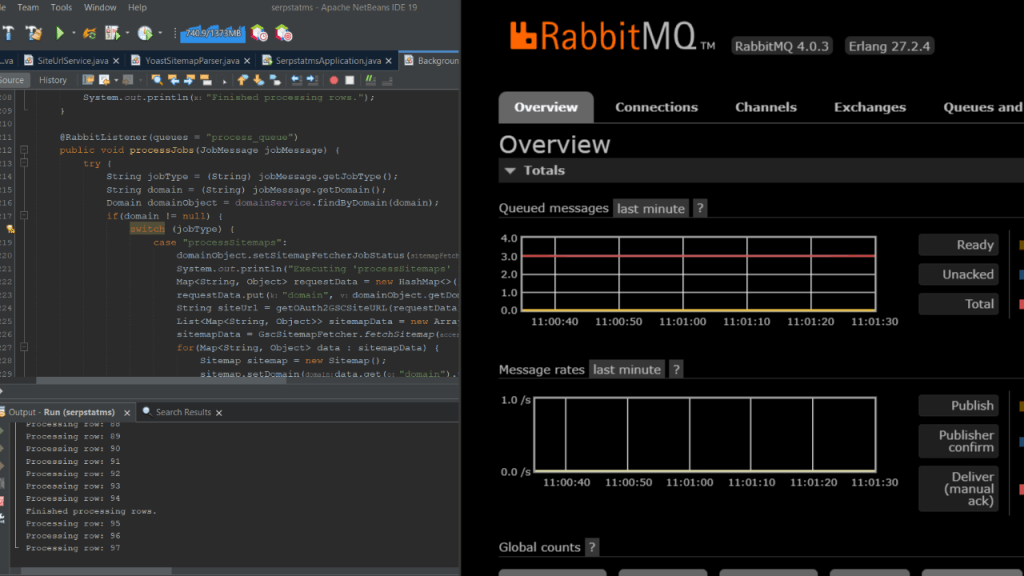
While working on a microservice in my current organization I noticed that I had the need to do some very large jobs in queues. This was because the jobs that I was attempting to perform were sometimes taking a long time and blocking the system. Hence, to increase its responsiveness and to ensure future scalability I decided that I needed to implement a queueing system. So, I looked at the web and decided on RabbitMQ because of its free and open-source nature and also because of its easy integration with Linux since ultimately, I host my microservice on Nginx on Ubuntu. So, here are some steps which I followed and which you can also roughly follow in order to implement a queuing system.
Installing RabbitMQ on Ubuntu
The following steps will be able to install RabbitMQ:
1. Update the package list:
sudo apt update -y
2. Install Erlang (this is required for RabbitMQ):
sudo apt install -y erlang
3. Verify installation:
erl -version
4. Install RabbitMQ:
sudo apt install -y rabbitmq-server
5. Verify the RabbitMQ installation:
rabbitmqctl status
6. Enable and start RabbitMQ services:
sudo systemctl enable rabbitmq-server
sudo systemctl start rabbitmq-server
7. Enable RabbitMQ Management Tool:
sudo rabbitmq-plugins enable rabbitmq_management
You can access the RabbitMQ admin panel at: http://localhost:15672 and the default login credentials will be username: guest and password: guest.
For better security of your panel and RabbitMQ in general, create an admin user:
sudo rabbitmqctl add_user admin MyStrongPassword
sudo rabbitmqctl set_user_tags admin administrator
sudo rabbitmqctl set_permissions -p / admin ".*" ".*" ".*"
Delete the guest user too for added security:
sudo rabbitmqctl delete_user guest
In case you are using a firewall (specifically ufw) it is required that you allow RabbitMQ ports through it:
sudo ufw allow 5672/tcp
sudo ufw allow 15672/tcp
sudo ufw reload
Again you can verify the rabbitmq status:
rabbitmqctl status
Adding RabbitMQ to a Spring Boot Project
Add the following in your pom.xml (if you are using Maven) in order to include RabbitMQ and associated libraries to your springboot project:
<dependency>
    <groupId>org.springframework.boot</groupId>
    <artifactId>spring-boot-starter-amqp</artifactId>
</dependency>
And then add the following to your application.properties file:
spring.rabbitmq.host=localhost
spring.rabbitmq.port=5672
spring.rabbitmq.username=admin
spring.rabbitmq.password=MyStrongPassword
Finally you need to create message producer and message consumer classes. Following is an example of these classes however, you will need to write them based on your requirements:
//MessageProducer.class
import org.springframework.amqp.rabbit.core.RabbitTemplate;
import org.springframework.stereotype.Service;

@Service
public class JobProducer {

    private final RabbitTemplate rabbitTemplate;

    public JobProducer(RabbitTemplate rabbitTemplate) {
        this.rabbitTemplate = rabbitTemplate;
    }

    public void sendJobToQueue(String jobMessage) {
        rabbitTemplate.convertAndSend("job_queue", jobMessage);
    }
}
//MessageConsumer.class
import org.springframework.amqp.rabbit.annotation.RabbitListener;
import org.springframework.stereotype.Service;

@Service
public class JobConsumer {

    @RabbitListener(queues = "job_queue")
    public void processJob(String jobMessage) {
        System.out.println("Processing job: " + jobMessage);
    }
}
Conclusion
The above steps will help you get started with RabbitMQ in Springboot. RabbitMQ is a robust job queuing system and with it your application will be able to handle large tasks in a job asynchronously without blocking the main thread. Thank you for reading.
 Ayush Raj
Leave a comment