
Summary
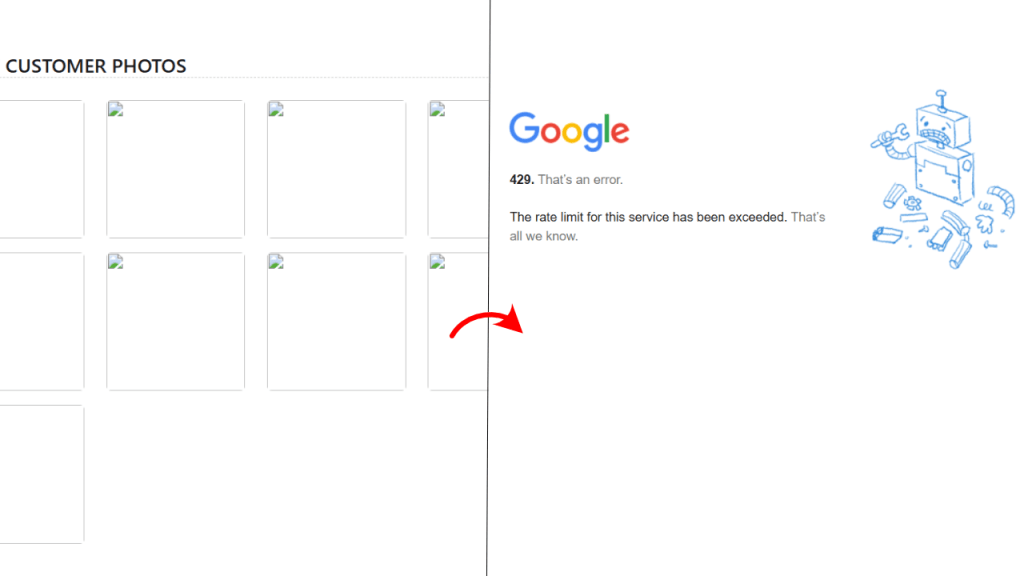
Excessive queries to any Google Cloud API may result in a 429 Too Many Queries error. This occurs due to Google’s imposition of rate limitations on API calls. In this article we are going to solve the problem of encountering 429 error when requesting images many times from the Google Cloud APIs or any Google service like Google Photos, Google Drive, etc.
Resolution
Establish a Retry Mechanism: Upon encountering a 429 error, pause and attempt the request again.
Cache API Responses: Retain image URLs locally to prevent redundant API requests.
Implement Exponential Backoff: Augment the interval between attempts.
Step 1: Implement a Retry Mechanism
Add the following methods to fetch and cache the images:
private String CACHE_DIR = "/usr/local/storage"; //Or any other local path in your environment

public String fetchAndCacheImage(String imageUrl) {
        // Generate a unique filename for the image
        String filename = imageUrl.hashCode() + ".jpg";
        File cachedFile = new File(CACHE_DIR + filename);

        // Check if the image is already cached
        if (cachedFile.exists()) {
            return convertFileToBase64(new File(cachedFile.getAbsolutePath()));
        }

        // Ensure cache directory exists
        new File(CACHE_DIR).mkdirs();

        int retryCount = 0;
        long waitTime = 1000; // Initial delay: 1 second

        while (retryCount < MAX_RETRIES) {
            try {
                Request request = new Request.Builder().url(imageUrl).build();
                Response response = client.newCall(request).execute();

                if (response.isSuccessful()) {
                    try (InputStream in = response.body().byteStream()) {
                        Files.copy(in, cachedFile.toPath(), StandardCopyOption.REPLACE_EXISTING);
                    }
                    return convertFileToBase64(new File(cachedFile.getAbsolutePath())); // Successfully fetched and cached image
                } else if (response.code() == 429) { // Rate limit hit
                    System.err.println("Rate limit hit. Retrying in " + waitTime + "ms...");
                    TimeUnit.MILLISECONDS.sleep(waitTime);
                    waitTime *= 2; // Exponential backoff
                } else {
                    System.err.println("Request failed with status: " + response.code());
                    return null; // Exit if another error occurs
                }
            } catch (Exception e) {
                e.printStackTrace();
            }
            retryCount++;
        }

        return null; // Failed after max retries
    }


public String convertFileToBase64(File file) {
    try (InputStream inputStream = new FileInputStream(file);
         ByteArrayOutputStream buffer = new ByteArrayOutputStream()) {

        byte[] data = new byte[1024];
        int nRead;
        while ((nRead = inputStream.read(data, 0, data.length)) != -1) {
            buffer.write(data, 0, nRead);
        }

        byte[] fileBytes = buffer.toByteArray();
        String mimeType = Files.probeContentType(file.toPath()); // Detect file type

        return "data:" + mimeType + ";base64," + Base64.getEncoder().encodeToString(fileBytes);
    } catch (IOException e) {
        log.error("Error while converting file to Base64: ", e);
        throw new RuntimeException("Failed to encode file to Base64", e);
    }
}
Step 2: Use Cached URLs in your frontend
Store cached URLs and use them instead of making API calls every time. If you are not using Java Beans, then add a REST endpoint for the fetchAndCacheImage function, which accepts a URL string and returns a base64 string of the image.
<img src="#{backingBean.fetchAndCacheImage(imageUrlFromGoogle)}"/>Expected Outcome
The API will retry failed requests.
Cached URLs will reduce API calls.
429 Too Many Requests errors will decrease.
Thank you for reading this article. I hope it will help you in some way.
 Ayush Raj
Leave a comment